

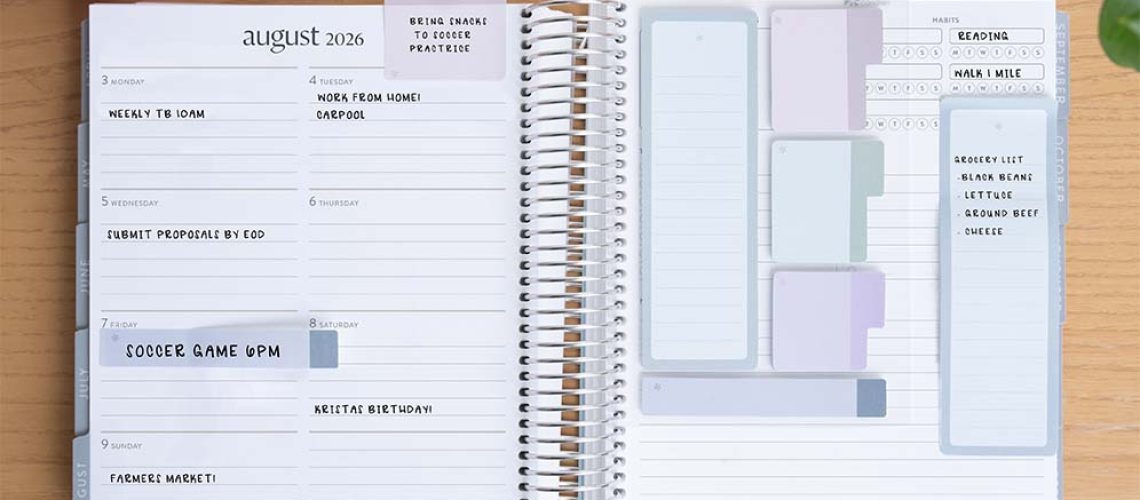
A Simple System to Stay Organized, Focused, and in Control of Your Week
Many people start their week with good intentions, only to end it feeling scattered, overwhelmed, and unsure where their time went. The problem isn’t a lack of effort. It’s a lack of visibility.
Just like businesses use dashboards to track performance, individuals can use a weekly life dashboard to see what matters most at a glance. Instead of juggling tasks mentally, you create one simple system that keeps your work, home, and personal priorities aligned.
A weekly life dashboard helps you move from reacting to life to actively managing it.
What Is a Weekly Life Dashboard?
A weekly life dashboard is a single organized overview of your key responsibilities and goals for the week.
It combines:
-
Tasks
-
Priorities
-
Habits
-
Appointments
-
Personal goals
-
Household responsibilities
Think of it as your control center for the week, a clear snapshot of what needs attention without overwhelming detail.
Why You Need a Weekly Dashboard
Without a system, life becomes reactive:
-
You forget important tasks
-
Small responsibilities pile up
-
Stress increases from mental overload
-
Personal goals get postponed
A dashboard works because it:
-
Reduces decision fatigue
-
Improves focus
-
Helps you balance different areas of life
-
Makes progress visible
Instead of asking “What should I do now?”, you already know.
Step 1: Divide Your Life Into Key Categories
Start by organizing your dashboard into major life areas.
A simple structure includes:
Work or Business
-
Important tasks
-
Deadlines
-
Meetings
-
Key priorities
Home and Lifestyle
-
Groceries
-
Cleaning routines
-
Bills or errands
-
Household planning
Personal Growth
-
Health habits
-
Learning goals
-
Rest and recreation
-
Relationships
This structure prevents one area of life from silently taking over the others.
Step 2: Choose the Right Format
Your dashboard should be easy to check daily.
You can use:
-
A notebook or planner
-
A printable weekly sheet
-
Digital tools like notes apps or task managers
-
Spreadsheet dashboards
The best system is the one you will actually use consistently.
Step 3: Identify Your Weekly Priorities
Avoid filling your dashboard with dozens of tasks.
Instead, select:
-
3–5 major priorities for the week
Ask yourself:
“If only these things get done, will this week still feel successful?”
Clear priorities prevent overwhelm and guide daily decisions.
Step 4: Add Habit Trackers
Your dashboard isn’t only for tasks, it’s also for consistency.
Track small habits such as:
-
Drinking enough water
-
Exercise or movement
-
Reading or learning
-
Sleep routines
Habit tracking turns progress into something visible and motivating.
Step 5: Schedule Energy, Not Just Time
Instead of cramming tasks into every available hour, consider your energy levels.
For example:
-
High energy → deep work or creative tasks
-
Medium energy → meetings or planning
-
Low energy → admin or routine chores
Your dashboard should reflect how you actually function, not an idealized schedule.
Step 6: Include a “Life Maintenance” Section
Many weekly stresses come from forgotten small responsibilities.
Add a section for:
-
Calls to make
-
Errands
-
Renewals or payments
-
Items to restock at home
Handling these early prevents last-minute pressure.
Step 7: Review and Reset Weekly
The power of a dashboard comes from regular review.
Set aside 20–30 minutes each week to:
-
Check completed tasks
-
Move unfinished items forward
-
Adjust priorities
-
Plan the next week intentionally
This weekly reset keeps your system alive and relevant.
What a Simple Weekly Dashboard Might Look Like
Weekly Focus: Finish project proposal, organize pantry, exercise 3 times
Work
-
Submit proposal draft
-
Client follow-up emails
-
Team meeting Tuesday
-
Grocery restock
-
Laundry
-
Clean kitchen shelves
Personal
-
3 workouts
-
Read 20 pages daily
-
Call family
Life Maintenance
-
Pay electricity bill
-
Schedule appointment
One page. Clear visibility. Less stress.
Common Mistakes to Avoid
-
Overloading the dashboard with too many tasks
-
Tracking everything instead of what matters most
-
Skipping weekly reviews
-
Creating a complex system that becomes hard to maintain
Remember: simplicity makes systems sustainable.
Benefits You’ll Notice
After a few weeks, many people experience:
-
Greater clarity and focus
-
Reduced mental clutter
-
Better work-life balance
-
Improved consistency with goals
-
Less anxiety about forgetting things
Your week stops feeling random and starts feeling intentional.
Final Thoughts
A weekly life dashboard doesn’t make life perfect, but it makes life visible. When you can clearly see your priorities, responsibilities, and progress, decision-making becomes easier and stress decreases. Instead of constantly reacting, you begin guiding your week with purpose.
You don’t need more motivation, you need a system that supports you every week. Start simple. Build your dashboard. Adjust as you go.
Over time, you’ll realize something powerful: you’re no longer chasing your week, your week is working for you.
