

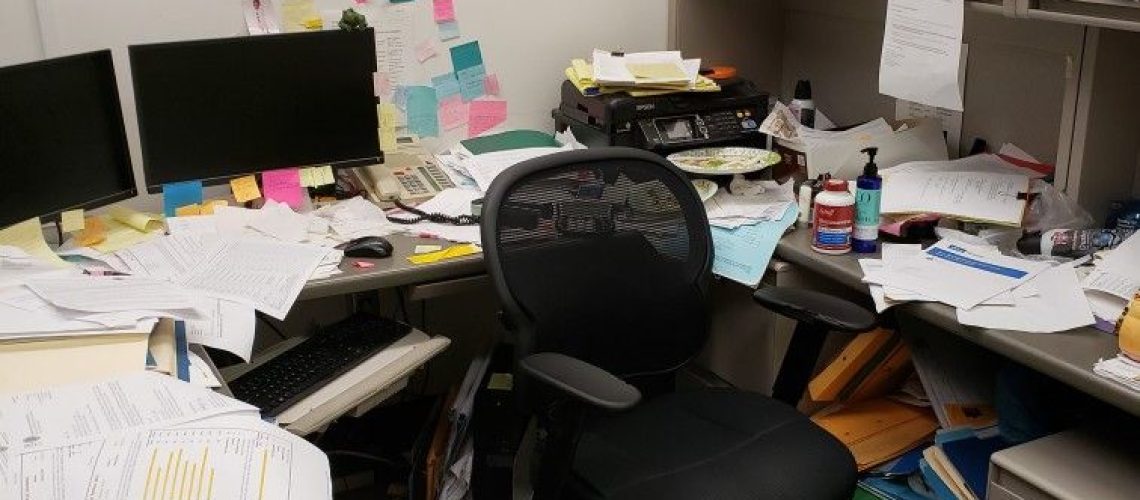
Your office might look clean, but appearances can be misleading.
The floors may shine, the desks may be neatly arranged, and the windows may be spotless. However, some of the dirtiest surfaces in your workplace are the ones you touch every day without thinking twice.
From computer keyboards to door handles, everyday office objects collect dirt, oils, food particles and microorganisms through constant use. When several employees share these surfaces, contamination can spread from one person to another, especially when people touch their faces or eat without washing their hands.
This does not mean every office surface is dangerous or that germs will automatically make you sick. However, regular cleaning and good hygiene habits can reduce unnecessary exposure and create a more comfortable working environment.
So, which spots deserve more attention during your office cleaning routine? Here are some commonly overlooked areas and practical ways to keep them clean.
1. Computer Keyboards and Mouse Devices
Your keyboard and mouse are among the most frequently touched objects in your office. Every email, report, search and document requires repeated contact with these devices.
Throughout the day, your fingers transfer natural oils, sweat, dust and other particles onto their surfaces. Crumbs from breakfast or lunch can also settle between keyboard keys, creating an unpleasant environment for your workspace.
Shared computers present an additional challenge because several employees may use the same equipment without cleaning it between users.
How to keep them clean: Switch off and unplug equipment where appropriate before cleaning. Use a soft, lint-free cloth and a manufacturer-approved cleaning product. Follow the device manufacturer’s instructions, and never spray liquid directly onto a keyboard or mouse. Avoid excessive moisture, especially around electronic components.
For shared equipment, establish a routine for cleaning between users when practical.
2. Door Handles and Push Plates
Think about how many people enter your office each morning. Employees, visitors, delivery personnel and contractors may all touch the same door handles throughout the day.
These surfaces receive repeated contact from different hands, making them important points to include in workplace cleaning routines. Handles on toilets, meeting rooms, kitchen doors and main entrances deserve particular attention.
Unfortunately, cleaning teams sometimes focus on visible dirt while overlooking frequently touched surfaces that still appear perfectly clean.
How to keep them clean: Clean and disinfect frequently touched handles and push plates according to the manufacturer’s instructions and your workplace’s hygiene requirements. Increase cleaning frequency in busy areas, especially during periods of increased illness.
3. Office Phones and Headsets
Office phones, desk handsets and shared headsets come into close contact with employees’ hands and faces. During long conversations, people may repeatedly adjust their devices, touch their mouths or switch between phone calls and paperwork.
Shared communication equipment can therefore accumulate oils, dust and microorganisms over time. Headsets used by customer service teams, receptionists and call centre employees need particular attention because they may be worn for several hours daily.
How to keep them clean: Wipe compatible surfaces regularly with approved cleaning products. Follow the manufacturer’s instructions for microphones, ear cushions and electronic components. Where possible, assign headsets to individual employees instead of sharing them.
4. Light Switches and Elevator Buttons
Light switches and elevator buttons are easy to overlook because they occupy very little space. Nevertheless, employees may touch them several times daily without considering when they were last cleaned.
The same applies to buttons on printers, photocopiers, water dispensers and other shared office equipment.
Although these surfaces rarely look dirty, repeated contact makes them worthwhile targets during routine cleaning.
How to keep them clean: Include switches and buttons in the cleaning checklist. Use suitable products and application methods that will not damage electrical components. Never spray cleaning liquids directly onto switches or electronic controls.
5. Shared Kitchen Appliances
The office kitchen can become one of the most neglected areas in a workplace. Employees use the refrigerator, microwave, kettle, cupboard handles and water dispenser throughout the day.
Food spills, greasy fingerprints and crumbs can build up when people assume someone else will clean them. Microwave handles and buttons may receive frequent contact, while refrigerator shelves and handles can collect food residue.
A kitchen that looks tidy does not necessarily meet good hygiene standards.
How to keep them clean: Wipe appliance handles and frequently touched controls regularly. Clean microwave interiors after spills, remove expired food from refrigerators and disinfect food-contact surfaces only with products suitable for that purpose. Allow surfaces to dry as directed before preparing or placing food on them.
Encourage employees to clean up immediately after eating instead of leaving the task for the next person.
6. Desks, Armrests and Shared Chairs
Employees spend hours sitting at their desks, yet personal workspaces do not always receive regular cleaning. Desk surfaces collect dust, fingerprints, food particles and residue from frequently handled objects.
Armrests can also accumulate oils and sweat through repeated contact. Shared meeting-room chairs deserve attention because different people use them throughout the day.
Eating lunch at your desk can make the problem worse, particularly when crumbs and spills remain unnoticed.
How to keep them clean: Wipe desk surfaces regularly, especially before eating. Clean chair armrests and shared furniture according to their materials and cleaning requirements. Encourage employees to remove food waste promptly and avoid allowing rubbish to accumulate overnight.
7. Printer and Photocopier Controls
Printers and photocopiers are shared by employees across different departments. People touch buttons, screens, paper trays, handles and output compartments while printing or collecting documents.
These devices may not appear particularly dirty, but their frequent use makes them easy to overlook during routine cleaning.
How to keep them clean: Add accessible external surfaces to the regular office cleaning schedule. Follow the manufacturer’s recommendations and avoid introducing moisture into paper trays, screens or internal components.
8. Bathroom Taps and Dispenser Handles
Office bathrooms require consistent attention because several people use the same facilities daily. Tap handles, soap dispensers, toilet flush controls and cubicle locks receive frequent hand contact.
Cleaning only the toilet bowl and floor is not enough. If frequently touched surfaces are ignored, the bathroom may still fall short of good hygiene standards.
How to keep them clean: Clean and disinfect appropriate high-touch surfaces regularly. Refill soap dispensers, maintain handwashing facilities and ensure that employees have access to clean water and suitable hand-drying options.
A reliable bathroom cleaning checklist should cover fixtures, touchpoints, waste bins and other frequently used surfaces.
9. Handrails and Shared Office Equipment
Handrails on staircases, shared office tools and frequently handled storage cabinet handles also deserve attention. Employees may touch these surfaces while carrying documents, moving between floors or collecting supplies.
Because these objects serve many people, they can accumulate dirt even when the surrounding environment appears clean.
How to keep them clean: Identify frequently handled surfaces throughout the building and include them in scheduled cleaning. Pay particular attention to staircases, reception areas, shared storage spaces and busy corridors.
Why Regular Office Cleaning Matters
Office hygiene is not simply about maintaining an attractive workspace. A consistent cleaning routine helps control dirt, reduce the spread of microorganisms and improve employees’ confidence in their working environment.
However, cleaning and disinfecting are not the same. Cleaning removes dirt and many germs from surfaces, while disinfection uses appropriate products to kill or inactivate specified microorganisms. Offices should clean routinely and disinfect surfaces when circumstances, public health guidance or workplace requirements call for it.
Handwashing also remains essential. Employees should wash their hands after using the bathroom, before eating and whenever they are visibly dirty. Providing hand sanitiser can help when soap and water are not readily available, although it does not replace proper handwashing in every situation.
Employers should also establish clear responsibilities. Employees can maintain their immediate workspaces, while cleaning personnel follow a documented schedule for shared areas, bathrooms and other high-touch surfaces.
Conclusion
The dirtiest spots in your office are not always the ones that look unpleasant. Keyboards, door handles, phones, kitchen appliances and shared equipment can accumulate dirt and microorganisms because people touch them repeatedly throughout the day.
Fortunately, improving office hygiene does not require complicated measures. Regular cleaning, appropriate disinfection, accessible handwashing facilities and clear workplace responsibilities can make a meaningful difference.
Take a moment to look around your workspace. Which surfaces do you touch most often, and when were they last cleaned? Addressing those overlooked areas is a practical first step towards a cleaner, healthier and more productive office.
