

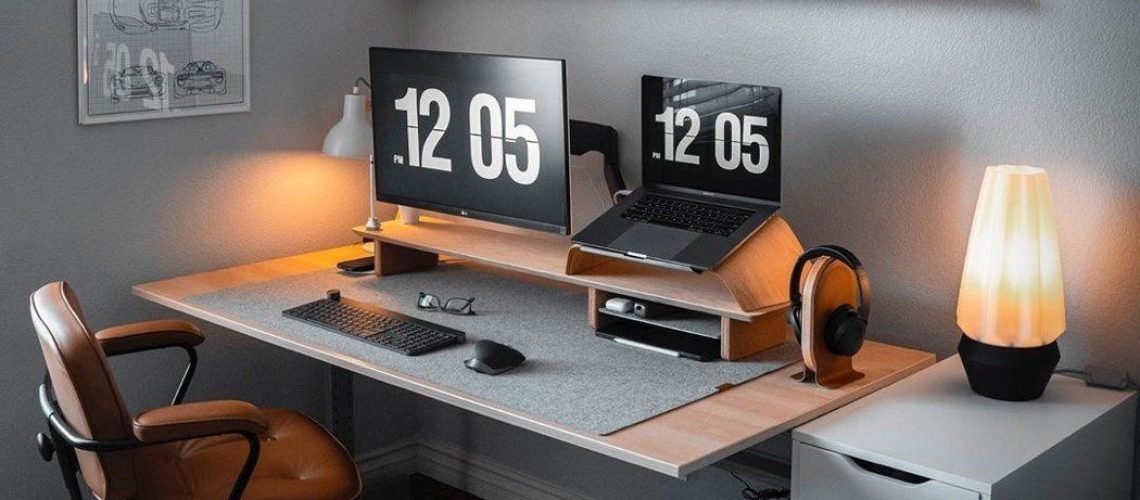
Working from home sounds convenient until household chores, unreliable internet, noise and constant interruptions begin competing with your work.
A productive home office requires more than a desk and laptop. It needs a practical setup, a clear routine and boundaries that help you separate work responsibilities from home life.
Whether you are a remote employee, freelancer, entrepreneur or student, you can create a functional workspace without renting an expensive office. Even a small corner of a bedroom or living room can become an effective work area when you organise it properly.
The goal is not to make your home look like a corporate office. It is to create an environment where you can concentrate, communicate professionally and complete your work without unnecessary stress.
1. Choose a Dedicated Work Area
Start by identifying a space where you can work consistently. Ideally, choose a quiet corner with enough room for your laptop, notebook and essential equipment.
You do not need a separate room. A small desk beside a window or a designated section of a bedroom can work. What matters is that the space signals when you are working and helps you avoid distractions.
Consider these factors when choosing your location:
- Lighting: Natural light can make the space more comfortable. Add a suitable desk lamp for evenings.
- Noise: Choose an area away from television noise, busy kitchens and frequent movement.
- Ventilation: Make sure air can circulate, particularly during hot weather.
- Power access: Work near a reliable socket and arrange safe cable management.
- Privacy: Consider whether you need a door, screen or quiet corner for meetings.
If you share your home with family members or housemates, explain when you need uninterrupted work time. A simple agreement can prevent repeated interruptions.
2. Invest in the Essentials Before Decorative Items
A home office does not need expensive furniture or trendy accessories. Prioritise the equipment that directly affects your ability to work.
| Essential | Why it matters |
|---|---|
| Reliable computer | Handles your main work tasks |
| Comfortable chair | Supports a more comfortable working posture |
| Stable desk or table | Provides a consistent work surface |
| Internet connection | Supports communication and online tasks |
| Power backup | Reduces interruptions during outages |
| Headphones | Help with calls and concentration |
| Desk lighting | Improves visibility when natural light is limited |
If you are starting with a limited budget, use a sturdy table and a supportive chair you already own. Upgrade gradually as your income allows.
For Nigerian home offices, power planning deserves particular attention. Depending on your location and work requirements, a UPS, charged power bank, inverter or other suitable backup may help keep essential devices running during outages.
Calculate your equipment’s power needs before buying a backup solution. A device that supports a phone and router may not be sufficient for a laptop, monitor and other equipment.
3. Make Your Internet More Reliable
A stable internet connection is essential for remote meetings, file uploads, online research and communication with clients.
Before choosing a provider, consider the network coverage in your area. Ask neighbours about their experience and test the connection at the times you normally work. A provider that performs well in one neighbourhood may struggle in another.
You can also improve your existing setup:
- Position the router in an open, central location.
- Keep it away from large obstructions where possible.
- Secure your Wi-Fi network with a strong password.
- Reduce unnecessary downloads during important meetings.
- Keep a mobile data alternative for emergencies.
- Download essential files before a planned network interruption.
If your work involves uploading large design files, editing videos remotely or attending frequent video calls, pay attention to upload speed as well as download speed.
Create a backup communication plan with clients or colleagues. For example, if a video meeting becomes impossible, you may agree to continue through a phone call or reschedule.
4. Establish Working Hours and a Daily Routine
One of the biggest challenges of working from home is knowing when to stop. Without a routine, you may spend the morning doing household chores and then work late into the night to compensate.
Set a realistic start time, finish time and break schedule. Your routine should reflect your workload and personal responsibilities.
A simple daily structure might look like this:
- Morning: Review priorities and complete demanding tasks.
- Midday: Handle meetings, correspondence and collaborative work.
- Afternoon: Finish assigned tasks, review progress and prepare for the next day.
- End of day: Close work applications, organise your desk and record outstanding tasks.
You can adjust the schedule when necessary. The important thing is to create a predictable rhythm rather than working whenever you happen to find free time.
Try using time blocks for tasks that require concentration. For example, set aside 60–90 minutes for writing, design work or financial planning before checking social media or responding to non-urgent messages.
5. Organise Your Work Digitally
A cluttered digital workspace can waste as much time as a messy desk. If you constantly search for documents, forget deadlines or lose track of client messages, introduce a simple organisation system.
Create folders for major projects and use consistent file names. For example:
ClientName_ProjectName_Date_Version
Keep important documents backed up in a secure cloud service or another suitable storage location. Make sure you understand who can access shared folders, particularly when working with client information.
You can also use a task-management tool, calendar or simple spreadsheet to track deadlines. Choose a system you can maintain rather than downloading several applications you rarely use.
A useful weekly routine includes:
- Reviewing unfinished tasks.
- Checking upcoming deadlines.
- Organising downloaded files.
- Backing up important work.
- Updating project or client records.
These small habits reduce the risk of missed commitments and unnecessary last-minute pressure.
6. Set Boundaries With People at Home
Your home office may be physically inside your living space, but your work still deserves respect.
Explain your working hours to people who share your home. Let them know when you are available for household activities and when you need uninterrupted concentration.
If you have children or care responsibilities, your routine may need to include planned breaks and flexible working periods. Where possible, coordinate responsibilities with other household members rather than assuming you can handle everything while working.
You should also set boundaries with clients and colleagues. Being at home does not mean you are available at every hour.
Communicate your response times and avoid agreeing to deadlines that require you to work constantly outside your normal schedule.
7. Keep Your Workspace Comfortable and Healthy
You will spend a significant amount of time in your home office, so comfort matters.
Adjust your chair and desk so that you can sit comfortably, keep your screen at a suitable viewing height and avoid awkward wrist positions. Take regular movement breaks rather than remaining seated for several hours.
Keep water nearby and maintain reasonable ventilation. Clean your desk, keyboard and frequently touched equipment regularly.
A little organisation also makes a difference. Use a tray for documents, a cable organiser to reduce clutter and a bin for waste. Keep only the items you regularly need within easy reach.
If your room becomes hot, poorly ventilated or uncomfortable, address those conditions rather than assuming you must simply tolerate them.
8. Prepare for Power and Other Unexpected Interruptions
A home office should have a backup plan. Power outages, internet problems, equipment failure and household emergencies can interrupt your work.
Identify the tasks that can continue offline. Save documents regularly and keep essential contact details available when your internet connection is unavailable.
Prepare a small emergency work kit containing:
- A charged power bank.
- A backup internet option.
- A charging cable.
- A notebook and pen.
- Important client or workplace contact details.
- A backup copy of essential files.
For important meetings, charge your devices beforehand and test your connection. If you rely on a generator or inverter, follow the manufacturer’s safety instructions and ensure that fuel-powered equipment operates outdoors in a suitable, well-ventilated location, away from doors and windows.
9. Review Your Setup Regularly
A home office should change as your work changes. A freelancer who starts with occasional writing assignments may eventually need a larger desk, a second monitor or better storage.
Once a month, review your workspace and ask:
- Which distractions affected my work?
- Which equipment caused problems?
- Did I meet my deadlines?
- Was my internet and power backup sufficient?
- Did I maintain reasonable working hours?
- What small improvement would make the next month easier?
You do not have to buy something every month. Sometimes moving your desk, reorganising files or adjusting your schedule will solve the problem.
Create a Workspace That Supports the Way You Work
A functional home office is built through practical decisions, not expensive decoration. Start with a dedicated work area, reliable equipment, a workable internet connection and a routine you can maintain.
Then introduce simple systems for organising tasks, protecting your time and handling interruptions. As your workload grows, upgrade the equipment and processes that genuinely improve your productivity.
Your home office should make it easier to do good work while still leaving room for the rest of your life. When the space, schedule and systems work together, working from home becomes more manageable and sustainable.
Frequently Asked Questions
1. How can I create a home office with a small budget?
Start with a quiet corner, a sturdy table, a comfortable chair and reliable internet. Use equipment you already own and upgrade gradually. Prioritise power backup and tools that directly support your work before spending money on decoration.
2. What is the most important equipment for a home office?
A suitable computer, comfortable chair, stable desk, reliable internet connection and adequate lighting are good starting points. Your exact requirements depend on your job. A graphic designer, for example, may need a better display, while someone who makes frequent calls may prioritise a headset.
3. How do I avoid distractions when working from home?
Create a dedicated work area, establish working hours and explain your availability to people at home. Use time blocks for demanding tasks, silence non-essential notifications and schedule household activities outside important work periods where possible.
4. How do I stay productive when there is no power or internet?
Prepare alternatives before interruptions happen. Keep devices charged, arrange suitable power backup, maintain a mobile data option and save essential files for offline access. Inform clients or colleagues promptly when an interruption affects a deadline.
5. How many hours should I work from home each day?
Your working hours should reflect your employment agreement, client commitments and workload. Set clear start and finish times, take regular breaks and avoid treating home-based work as a reason to remain available throughout the day.
